
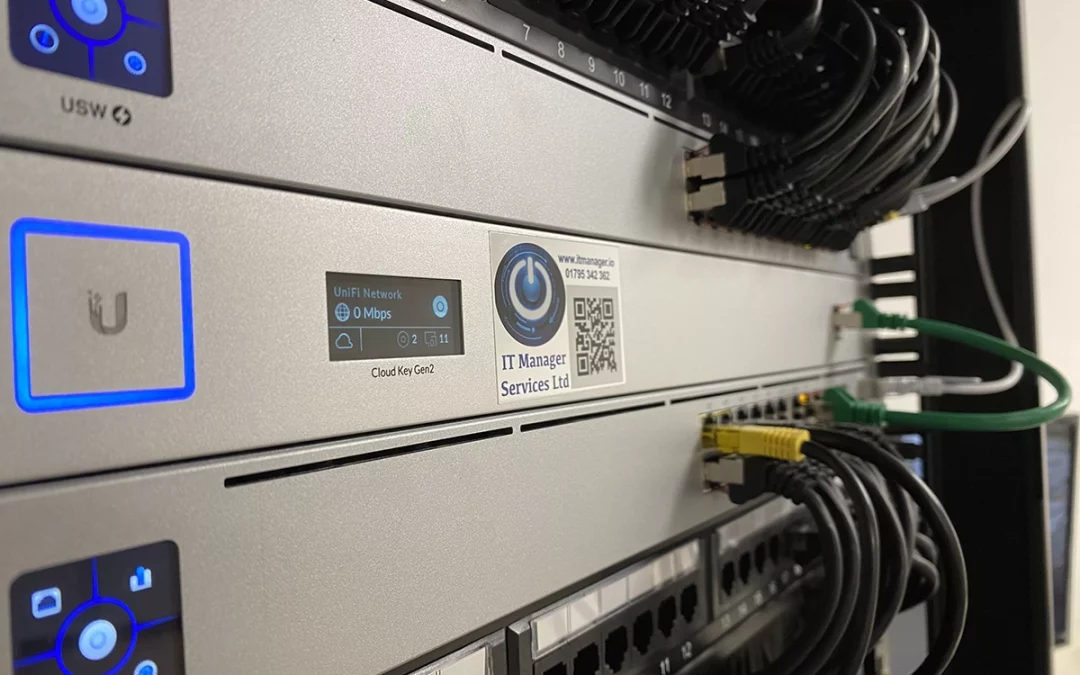
A fast and steady internet connection is very important for any office. When the network slows down or stops, work can come to a standstill.
Many times, the problem is not the internet itself but the cables hidden under desks or behind walls. Problems with network cables often cause slow speeds and sudden disconnections.
Knowing about these common cable problems can save your office time, money, and stress. In this guide, we will look at what can go wrong with office cables and how to fix it.
What is Network Cabling?
Network cabling is the set of wires that connect all the devices in your office, like computers, printers, and phones, to each other and to the internet. Think of it like the pipes in a house, but instead of carrying water, they carry data.
Good, organised cabling helps your devices work smoothly and keeps your office network running properly.
Why Proper Cabling is Important for Office Productivity
A neat and well-planned cabling system helps your data travel quickly. This means your team can open files, join video calls, and send emails without delays.
When the network is stable, staff can work better and get more done. They don’t have to wait for loading screens or keep restarting computers.
Good cabling also makes it easier to add new computers as your team grows. It is a smart way to keep your office running smoothly in the future.
Top 6 Common Network Cabling Problems
Even the best offices can suffer from office network issues. Here are the most common faults you might find in your workspace.
- Poor Cable Management
- Damaged or Worn-Out Cables
- Incorrect Cable Installation
- Network Interference
- Outdated Cabling Systems
- Loose or Faulty Connections
Poor Cable Management
Tangled wires under desks are not just messy, they can cause real problems. When cables bend too much, the tiny wires inside can break. It also makes it very hard to find the right cable when something goes wrong.
Damaged or Worn-Out Cables
Cables are often accidentally crushed by office chairs or stepped on by staff. Over time, the protective plastic coating can wear away.
Once a cable is frayed or bent out of shape, data cannot travel smoothly. This leads to dropped connections and painfully slow internet speeds.
Incorrect Cable Installation
Setting up a network requires planning and care. If cables are run too close to electrical wires, or if they are stretched too tightly, they will fail.
Incorrect installation often happens when businesses try to set up their networks without expert help. It usually ends up causing bigger headaches down the line.
Network Interference
Data cables are sensitive to electromagnetic interference (EMI). If they are placed too close to power lines, fluorescent lights, or large machines, the signal gets scrambled.
This interference causes data packets to drop. Your computers then have to re-send the data, which drastically slows down your entire system.
Outdated Cabling Systems
Technology moves fast, and older cables simply cannot handle today's high-speed internet. If your office uses old Cat5 cables, you are likely missing out on the speeds you actually pay for.
Upgrading to newer standards, like Cat6 or fibre optic cables, provides a massive boost to your network performance.
Loose or Faulty Connections
Sometimes the problem is not the cable itself, but how it connects to the wall or computer. The small plastic clips on the ends of cables can easily snap off.
Without that clip, the cable sits loosely in the port. This creates a shaky connection that drops in and out throughout the day.
Signs Your Office Has Cabling Issues
The following are the signs that your office cables might be causing problems:
- Internet speed goes up and down a lot.
- Only certain computers lose their connection.
- Moving a cable slightly causes the internet to stop.
- The server room or IT cupboard is full of tangled wires.
How These Problems Affect Business Performance
When your network goes down, your staff cannot work. Every minute of downtime costs your business money in lost productivity. Slow networks also cause massive frustration. Employees lose their focus when they have to wait for simple tools to load.
Furthermore, poor cabling can lead to data loss or security vulnerabilities. A shaky network makes it harder to back up important files securely.
Best Practices to Avoid Cabling Problems
Many cable problems are easy to prevent or fix. Here are the best practices:
- Keep all cables neat and tidy using velcro straps or cable ties.
- Don’t run data cables next to power cables. This stops interference.
- Keep cables off the floor so they don’t get stepped on or crushed.
- Check the plastic clips at the ends of cables. If a clip is broken, replace the cable straight away.
- Label both ends of every cable. This makes it easy to know which cable goes where.
By following these simple steps, your office network will work better and last longer.
When to Call Professionals
You can manage small cables under your desk, but large office networks need expert help.
- If your business is moving to a new office, always hire a professional to install the cables.
- If your network is slow all the time and simple fixes don’t work, call an expert. They have special tools to check cables hidden in walls.
- Never try to run cables through ceilings or walls yourself. A professional will make sure everything is safe, neat, and ready for future upgrades.
At ITMS, we provide full IT support to keep your systems secure, updated, and running smoothly, so you can focus on your main business. If you need help with your office network, contact ITMS today to make sure it works safely and efficiently.
Conclusion
A reliable internet connection is very important for a productive and smooth running office. By knowing the common network cabling problems, you can prevent delays and keep your business working well.
Taking the time to organise and manage your cables properly protects your equipment and helps your team work more efficiently. When simple fixes are not enough, don’t hesitate to get expert help to get your network back on track.
Frequently Asked Questions (FAQs)
What is structured cabling?
Structured cabling is an organised system of wires and hardware that provides a complete telecommunications setup for a building. It keeps everything neat, reliable, and easy to manage.
How long do network cables last?
High-quality network cables can last up to 10 years if they are properly installed and maintained. However, physical damage or changes in technology may force you to replace them sooner.
Can old cables slow down my internet?
Yes,older cables have a limit on how much data they can carry. Upgrading to modern cables allows you to get the full internet speed you are paying for.
Why does my internet drop when I move my laptop?
This is usually caused by a loose connection or a broken clip on your cable. Replacing the damaged cable should fix the problem instantly.